K-drama between a South-Korean boy and a Brazilian girl

On July 31 of 2024 Youtuber mindcpr posted his video K-drama where Korean guy and a Brazilian girl meet for the first time in London. Maybe that day, or somewhere in August the Youtube algorithm found that I had to watch it. I usually didn't watch video's like that but I did watch it. Maybe I was bored, I don't know. Anyhow, watching one video on Youtube makes you see follow up videos too and until today I enjoyed the journey.

As the video title suggests, this is video is about a South Korean boy (Hakku, real name Seunghak Yu) and a Brazilian girl (Tata) meeting in London. This happened after Hakku, who makes travel vlogs on his channel, posted a video from somewhere in Brazil on some social network and Tata viewing it and responding something like "Do you, as a Korean, speak Portuguese?". This ended up in a conversation between the two and in this video we see that Hakku decided, as it seems under the guise of a collaboration with a language app called ELSA, to fly to London and meet Tata there. Tata is a cosmetic medicine specialist working in London and her goal is to open a clinic in her home country when she has saved up enough money.

From the first video it is clear that these two young fancy each other. The two flirt with each other in such a way that sparks fly from your screen. While Hakku seems to enjoy his time with Tata there, and has a good reason to stay with Tata in London because she is treating his baldness, he must continue to travel every now and then since that is his job and that is how he makes his money. So, together they travel to a couple of countries and locations in the UK.

Then on October 29 Hakku posts his video My Brazilian friend reaction after I asked her to be my girlfriend. Hakku confesses his love for his Brazilian friend Tata, asking her to be his girlfriend and travel together. Tata expresses her concerns about living just by traveling and the challenges of staying in England, but she appreciates Hakku’s romantic gesture and their shared dreams. She wants to be Hakku's girlfriend and, after much deliberation, decides to give up her job and travel with him. Hakku has to make the promise to bring her to Brazil in 2025. While traveling we see the couple have discussions on their future and both are making efforts to learn to speak the language of their partner.
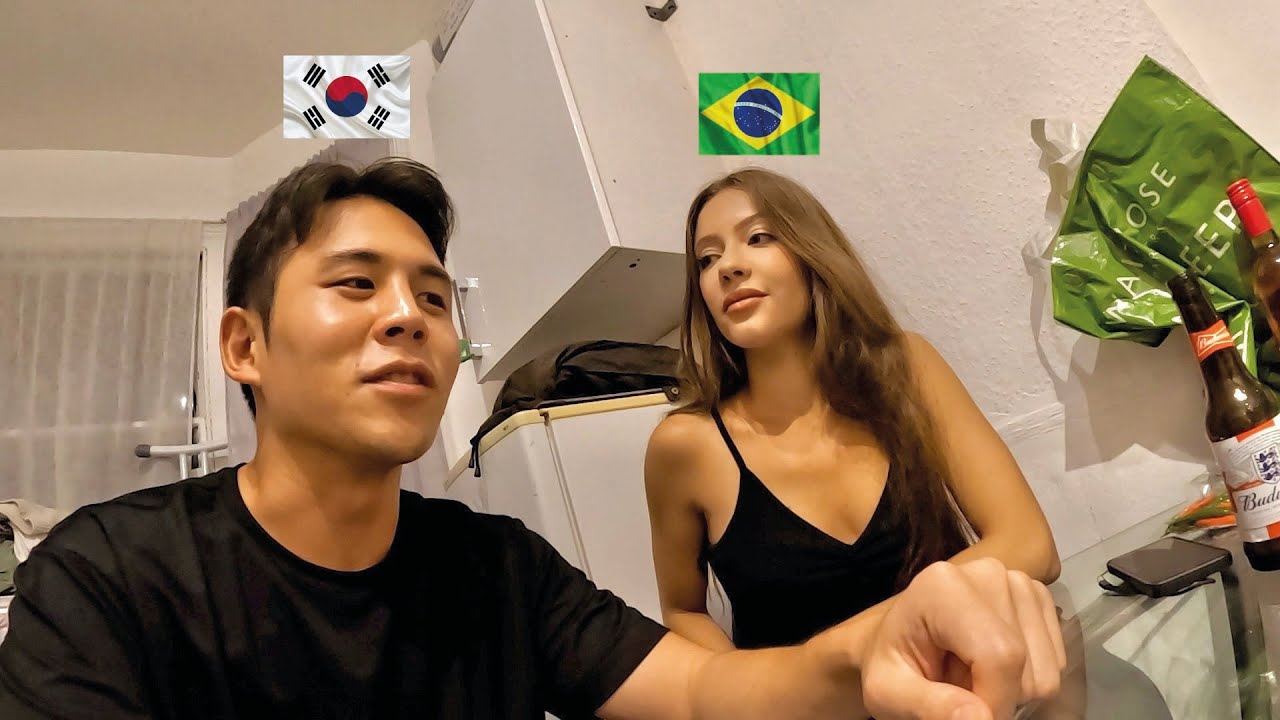
And so it happens. The now couple takes us to various locations. Iceland, Italy, Cape Verde are the locations we get to see through their eyes. And then the two travel to South-Korea where Tata gets to meet the parents of her boyfriend. From South-Korea they make trips within the country, go to Japan, China, Macao and more. Finally they travel to Brazil to meet Tata's family. After spending some time in Brazil en visiting landmarks there, it is back to Europe.

Then Hakku surprises Tata by going back to London. He has a plan, but doesn't tell Tata about it. On their first anniversary Hakku proposes to Tata, who is very surprised and she says YES! We can see Hakku's proposal in the video My Brazilian girlfriend’s reaction when I proposed to her. In the following two video's we see them visiting the English and Scottish country-side. The atmosphere in their video's remains warm, playful and deeply affectionate. Their dynamic can be characterized by love, humor and a shared commitment to building a life together.

And then the K-drama begins. While videos were posted regularly on Friday, there is no video after the episode in Scotland that was expected to drop on the 5th of December. A few days later, comments started to appear with rumors that the couple had separated. Tata posted on her Instagram that she was looking for an English speaking Korean lawyer. But no clear word from the couple about what was going on. People started to ask what is happening and making guesses what was happening. People were guessing "financial reasons", "Tata's expensive wedding wishes", "One of them would have cheated on the other".

Then a community post from Hakku which is a heartfelt announcement explaining that the two have mutually decided to part ways after a loving relationship, asking for understanding, respect, and support while they take time to heal and wish each other well. A few hours later Tata responds below Hakku's post in which she thanks supporters for their encouragement, clarifies that the breakup was not due to marriage or financial issues, asks people to stop harmful speculation, and requests compassion while the author focuses on healing and rediscovering herself during a very difficult time.

Although this break-up, some 2 weeks after the proposal, is obviously hard for both (Tata wrote that she had lost 5KG since) it is also strange. I want to refrain from over-analyzing and speculating but want to share my opinion. 

Hakku communicates in his post in a cognitively regulated, structured way. That is what we see him doing often in videos. There are often doubts about his future. Would he be able to support a family and would he still be able to travel? Travel-based careers are extremely difficult to integrate with family-oriented plans.

Tata communicates more in an emotionally expressive, personal way. In the videos she often thinks how her life will look like when they have children and where the couple is going to live.

Here is where the love story between a boy from South-Korea and a girl from Brazil stops. At least for now, until a new video from Hakku appears. Maybe he wants to explain more in that video. I found that Tata continues to post every few days on her Instagram.

Edit: On December 22 Tata posted more background about the break-up. She explains that they had an argument after recording a video. The next morning Hakku left the hotel they stayed in without her. Tata, still in her room when he left, expected to find him in the hotel lobby but he already took off. He left her with nothing, no ticket, no money, nothing. I think it is a good idea to read the post for yourself for more details.

We have not heard Hakku's side of the story, but leaving someone behind without any money, dependent on friends and family to travel home is inhumane.


Refreshing OpenVPN Server and User certificates in pfSense

While traveling it is nice to have access to your home network. Sometimes you want to watch a TV show (or Formula One race). I have setup OpenVPN for that on one of my servers. The certificates expire after a given period of time. I set my certs to expire after a year. Every year I have to look up how to do that, but now I have this post.

  1. Go into menu System -> Certificates
  2. Click the Reissue/Renew icon right from the expired certificate(s) (for both OpenVPN Certificate Authority and the VPN user)
  3. Go to menu VPN -> OpenVPN
  4. Select tab Client Export
  5. At the bottom of the page, under section Client Exports, click the type of export you need.
  6. Use the exported file in your OpenVPN client

Hacking NAVEX training modules

Many corporate compliance or harassment training tools lock you into watching each slide or video in real time—even when you’ve already seen it. That can waste valuable time. Here’s a simple developer trick to bypass those controls without waiting for timers to finish your training from NAVEX. You can't really call this a hack. It is just bad by design and laziness of the developer.

The trick outlined below has been reported to NAVEX, but they have decided not to do anything with it.

Quick Steps (Chromium browsers)

  1. Open the training module (Sexual Harassment, Compliance Training, etc.) in your browser.

  2. Open Developer Tools:
    - Windows: F12 key or Ctrl + Alt + C
    - Mac: F12 key or ⌘ + Option + C

  3. Click the Find element button as shown below


  4. Click the Next button in the NAVEX player. This will bring you to the HTML element for this button which will look similar like shown in the image below. The line of the Next button will be marked with a background


  5. Probably 2 rows below the marked line you will see a line that looks like this


  6. There are two occurrences of the word 'disabled', one with the prefix 'btn-' and one without a prefix. Double click them both and press the delete button. Also remove the "btn-" prefix

  7. There is one occurrence of the word "invisible". Double click this word too and delete it

  8. In the windows with the NAVEX player you will now see that an I agree button has become available. When you click this button, the NAVEX browser thinks you completed the training successfully. You can continue to use the Next button, the I agree button remains available for the consecutive pages.


A word of caution: Make sure your company’s policies allow this. Some platforms are configured that way for legal compliance or insurance reasons. I am not endorsing the user in any way to use the above to avoid following corporate policies.

Issues while installing SQL Server Express 2022

While installing SQL Server Express 2022 I ran into several issues because the MS OLEDB and MS ODBC SQL drivers were not available. You expect these to be part of the SQL Express installer, but they are not. When you install these separately you will find that you also need the Visual C++ Redistributable. When installing the latest version you will find that it still not works. This is how you can solve it:

  1. Install the x64 version of the Visual C++ Redistributable
  2. Install the x68 version of the Visual C++ Redistributable
  3. Install the MS OLE DB driver
  4. Install the MS ODBC SQL driver

The important thing here is that you need both the x64 and the x68 versions of the Visual C++ redistributable, while that is never clear from the error messages. When all this has been completed you can run the SQL Server Express 2022 installer.

Note: If you still run into issues then make sure any existing OLEDB and ODBC drivers from Add or Remove Programs.

How to get rid of the Meta AI button in Whatsapp for Android

Update: This has worked since April 1st of 2025 but today I noticed that the version I used for this workaround will expire at the end of May 2025. So, do not follow this instruction!

Are you also fed up with the Meta AI button in WhatsApp and want to get rid of it? Actually you can't remove it, but it seems possible to go back a previous version of the app, as I found out. Below an example of how the AI button looks like. I am not sure if this button was just activated by Meta or arrived with an update. Any future update or activation could bring it back. This post comes with a disclaimer: No guarantee that this will work for you, the button can come back if Meta decides to activate it again or if you (are forced to) update to a new version.


Here are the steps to follow to go back to an older version of WhatsApp that doesn't have the Meta AI icon:

  • Make a backup of your chat
    - Press the 3 buttons in the right top of Whatsapp
    - Click Settings
    - Click Chats
    - Scroll to the bottom and click Chat backup

  • After the backup has finished, close the app and remove it from your phone
  • Download an older version of the WhatsApp apk from WhatsApp Messenger 2.25.4.76 (Android 5.0+) APK Download by WhatsApp LLC - APKMirror
  • Install the downloaded file
  • Login into your existing account
  • Restore the backup
  • Voila, no Meta AI button (for as long as it takes)

Now to make sure that the button is not returning through an update, we need to disable auto-update of WhatsApp messenger.

  • Open Google Play on your phone
  • Click your profile icon
  • Click Manage apps and device
  • Select the Manage tab
  • Scroll down to the WhatsApp Messenger listing and click it
  • Click the three dots in the upper right cornder
  • In the pop-up menu remove the checkmark from the Enable auto-update.

Important: At some point this version will stop being supported and you will have to update to a new version if you want to keep communicating. Let's hope that at this point Meta has made it possible to not show this button. Also realize that newer versions of the tool may include security updates to lock down vulnerabilities.

Meta says that they do not have access to your chats. Let's not give them the benefit of the doubt. Keep an eye on the news about this, this might change in the future. It might be that a setting becomes available that stops your data from being collected.

Also important, let Meta (Facebook) know that you object to using your data for their AI models. Open this link: https://www.facebook.com/help/contact/6359191084165019

Edit: I did this 484 72 hours more than 2 weeks 2 months ago and the Meta button did not return. Will update here if it does. See update at the top of this post.


HTTP Error 500.19 and error code: 0x80070021

I ran into this error when I tried to run this blog (BlogEngine.NET | Open Source Blogging Platform) for the first time. I thought I had installed everything on my IIS Server but still the error.

When I searched for the error HTTP Error 500.19 and error code : 0x80070021 I stumbled upon this StackOverflow article. It was then easy to solve by following the steps below.

Valid for Windows Server 2012 with IIS 8.5 but it should work for later versions too.

  • Go to Server Manager, click Add roles and features
  • In the roles section choose: Web Server
  • Under Security sub-section choose everything (I excluded digest, IP restrictions and URL authorization as I don't use them)
  • Under Application Development choose .NET Extensibility 4.5, ASP.NET 4.5 and both ISAPI entries
  • In the features section choose: NET 3.5, .NET 4.5, ASP.NET 4.5
  • In the web server section choose: Web Server (all), Management Tools (IIS Management Console and Management Service), Windows Authentication - if you are using any of it

Recept Spaanse Churros

Ingrediënten (in 3 delen toevoegen, zie video)

  • 150 ml water
  • 25 gram suiker
  • 50 gram ongezouten roomboter
  • Snufje zout
  • 125 gram amandelmeel of bloem

  • 2 eieren
  • Theelepel kaneel

  • Suiker
  • Kaneel

Bereiding
Smelt de ingrediënten langzaam of laag vuur. Voeg dan de bloem erbij en roer tot je een mooie deegbal krijgt en het goed gemengd is. Voeg de helft van de 2 eieren (geklopt) toe en roer er doorheen, dan het overige ei en het kaneel toe en roer verder. Laat afkoelen to je het met de hand kan vasthouden

Neem een spuitzak en vul met het deeg. Doe olie in een pan en verwarm tot 180 graden. Spuit streepjes deeg in de olie en knip af met een schaar en laat 4-5 minuten bakken. Draai om als nodig. Haal ze met een schuimspaan uit de olie en laat ze uitdruppen op een schaal met keukenpapier.

Meng wat kaneel door de suiker en wentel de Churros daar doorheen.

Create a Self-Signed certificate that is valid for 10 years

  • Open a PowerShell command with administrative permissions
  • Type the command, replace <site_name> with the name of your site as shown in Internet Information Services (IIS) and <name> with the name you can recognize it from. This will create a certificate that is valid for 10 years from the day you run the command:
    New-SelfSignedCertificate -Subject <site_name> -CertStoreLocation Cert:\LocalMachine\My -DnsName "<name>" -NotAfter (Get-Date).AddYears(10) -KeyUsage  DigitalSignature 
  • In IIS edit the binding for your site and assign the newly created certificate
  • Verify if you have selected the correct certificate with the View button
  • Restart the site